
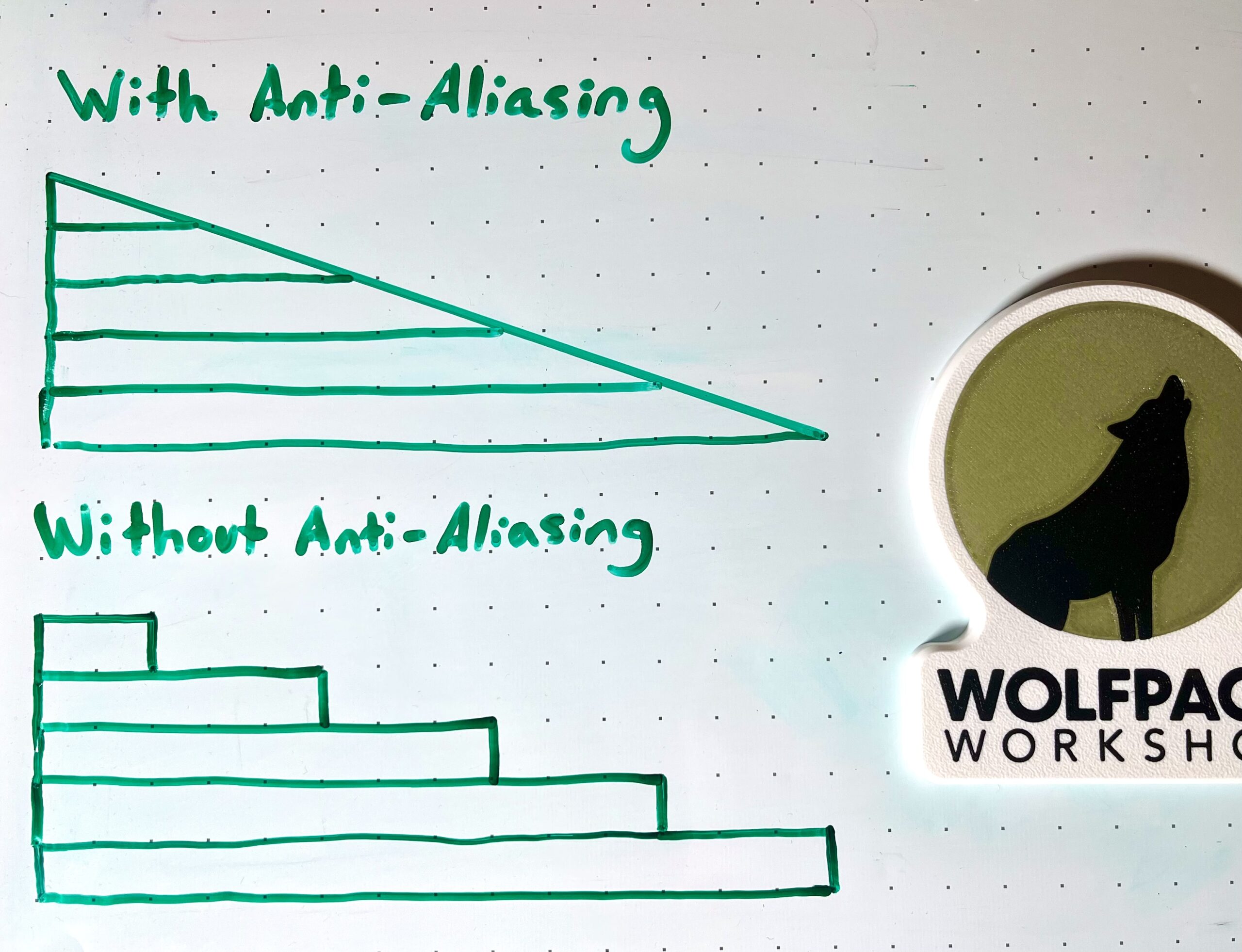
Stair-stepping on shallow surfaces has always been a limitation of FDM… until now! 💪
Anti-aliasing is a new FDM 3D printing technique I recently learned about. When applied, it almost eliminates the stair-stepping texture you see on all shallow top surfaces!
Let me tell you how it works.
All standard slicers typically print each layer at a fixed height before moving up to another fixed height to print the next layer. Anti-aliasing is different.
Anywhere where there are shallow top surfaces, the printer is programmed to print at a ramp angle matching the slope of the part. The extrusion height is also modulated along the ramp to ensure accurate geometry.
Although visually, it does not change the appearance of the part too much, the difference can be instantly noticed when comparing the surface finish (or “smoothness”) of those top surfaces.
How can this be applied?
– Shallow upper surfaces that need to mate with another part will have better fits.
– Parts that require gap-filling, priming, and painting need less work to achieve desired finishes.
– Parts can be printed faster with larger nozzles and taller layers, without the cost of a rough upper sloped feature.
I learned about this from CNC Kitchen’s latest video release. According to Stefan, there is already a version of Bambu Studio you can install with this feature baked in!
How would you use anti-aliasing in your workflow?
P.S.– Be sure to check out Stefan’s CNC Kitchen video on anti-aliasing for examples of this concept in action!
follow us on linkedin
Follow my page for 3D Printing insights, tips, and other updates!


